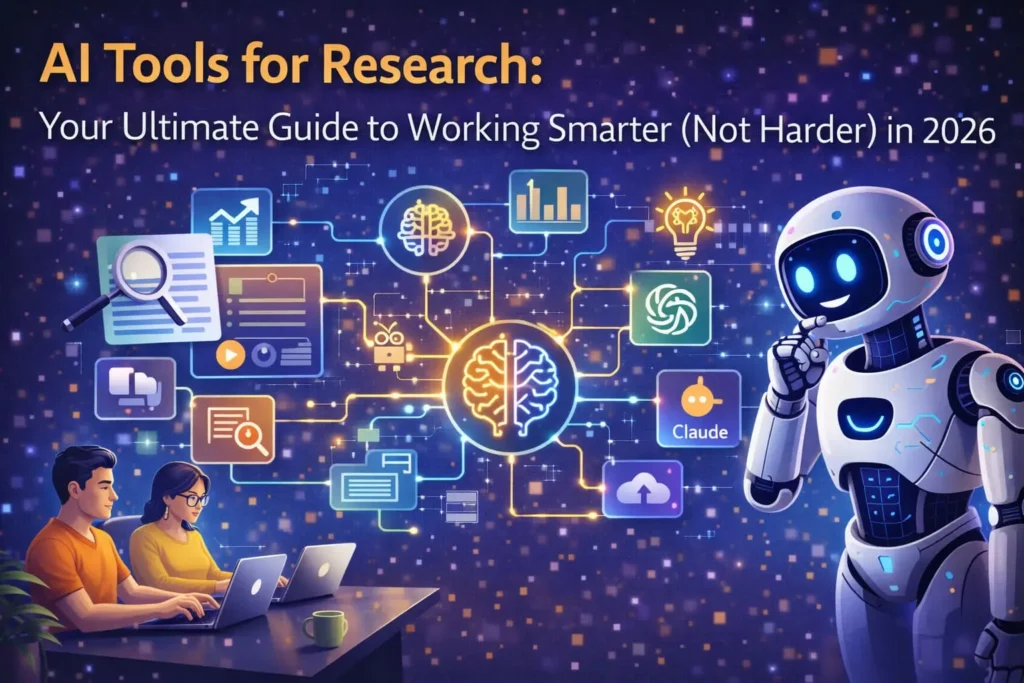
Imagine you start your research… and within a short time, you already have dozens of tabs open. Each tab has a different paper, but you still can’t clearly understand whether anyone has actually worked on your exact research question. That’s where the frustration begins.
Now here’s the good news: AI tools have completely changed the way we do research. It is possible to scan the millions of papers in several seconds and search the most appropriate ones with the help of these tools. They are also able to simplify complex and challenging information into simplistic summaries, otherwise you save you own time and effort.
AI tools are very helpful for finding the best sources for your literature review or assignments. But remember one important thing — don’t depend on just one tool. If you only use a single tool, you might miss some important information related to your topic. When you use different tools together, you get more complete and accurate research.
Whether you are a PhD student who feels overwhelmed by research papers, a market analyst trying to understand trends. Or just a curious person who wants to learn something complex. This guide will help you understand which tools to use and how to use them in a smart way.
Why AI Tools for Research Are No Longer Optional
Let me explain it to you in a simple way.
These days, research has become so overloaded that it’s very easy to feel confused. Every year, more than 5 million academic papers are published. Frankly speaking, no human being including the one consuming as much coffee as possible can absorb all this information by themselves. This is the reason why AI tools are not a luxury anymore, but a necessity.
And this is what you need to remember: AI tools do not take over your thought processes. It does not mean that your thoughts and knowledge are any less yours. The tedious yet time-consuming activities that required one to search through endless paperwork, summarize the information and locate valuable data can now be processed by these tools. It is possible to imagine them as a very helpful research assistant, who never gets tired, never complains, and works extremely fast.
Here’s the real benefit: these tools can help you find important papers that you might have missed, turn long and difficult studies into short and easy summaries. And even show how different research papers are connected through citations.
And here’s the most interesting part — earlier, a literature review could take 5 to 6 hours. However, nowadays, with the help of such tools as Perplexity AI and Elicit, the process of doing the same job will take a person approximately 45 minutes. This is not a mere addition but it has transformed the manner in which research is conducted.
Best AI Tools for Research Discovery and Literature Review
With good reason, this is the category that most people consider first. The first step in any research project is locating the appropriate papers. If you make a mistake, everything downstream suffers.
Elicit — The Structured Literature Review Powerhouse
Elicit searches over 125 million academic papers and does something genuinely useful: it lets you ask a research question in plain English and returns relevant papers with key findings extracted automatically. No more manually scanning abstracts one by one.
What makes Elicit stand out is its ability to create structured tables from multiple papers. Say you’re comparing treatment outcomes across 30 clinical studies. Elicit can pull out sample sizes, methodologies, and results into a single organized view. It used to require a week of laborious spreadsheet work.
Systematic reviews, meta-analyses, and anyone who needs to compare results across a substantial body of literature are the best uses for Elicit. Deeper analysis features are unlocked in the paid version, which is available in both free and paid tiers.
Consensus — When You Need a Straight Answer
Imagine you’re someone who opens 10 different tabs and ends up feeling confused. If that sounds like you, then Consensus is a great choice. Instead of showing you a long list of papers and telling you to figure it out on your own, it gives you a clear, direct answer to your question. And it supports that answer with proper research evidence.
For example, if you ask, “Does this actually work or not?” it will give you a summary based on what most research says.
It also explains which papers are strong and which are weak based on factors like publication quality or research techniques, which is another useful feature. Imagine a well-organized friend who has read everything and provides you with a concise, understandable outline without losing your time.
Perplexity AI — The Swiss Army Knife
Now, if you want one tool that can handle almost everything, then Perplexity AI is a very good option. It can be compared to a combination of Google and an assistant to research. Every time it provides you with an answer, it also displays the appropriate sources so you can quickly verify the source of the information.
One of its most powerful features is Academic Focus Mode. When you turn this on, it avoids random blogs and forums and focuses only on reliable, peer-reviewed research.
And here’s something really useful — it can also search the web in real time. So if you’re working on a new or trending topic, you won’t miss any recent information.
In simple terms, it’s fast, smart, and dependable — a very handy tool to have while doing research.
ResearchRabbit — Free and Surprisingly Good
ResearchRabbit deserves a special mention because it’s completely free and does one thing exceptionally well: it builds visual citation maps. You feed it a few seed papers, and it shows you related work, citation connections, and emerging trends — all laid out in an interactive graph.
Researchers often describe ResearchRabbit as “Spotify for papers” because of its recommendation engine. Once it knows what you’re interested in, it surfaces related work you might have missed. For early-stage literature exploration, it’s hard to beat the price-to-value ratio (because the price is zero).
Litmaps — Visualize the Research Landscape
Litmaps takes citation mapping a step further with dynamic, visual literature maps that update in real time. Its makes those relationships visible in a way that conventional databases search just cannot, which is useful if you’re trying to understand how a field has developed and which fundamental papers led to which breakthroughs.
It is especially helpful for researchers working in multiple fields who need to keep track of how an idea develops across different areas. The visual format also makes it simpler to spot research gaps, which are areas where you would expect to see connections but do not.
Best AI Tools for Reading and Summarizing Research
Finding papers is only half the battle. The other half is actually reading them without your eyes glazing over by page three.
Google NotebookLM — Your Personal Research Thinking Partner
Google’s NotebookLM has quietly become one of the most useful AI tools for research in 2026. You upload your sources — PDFs, articles, notes — and it lets you ask questions about them, generate summaries, create study guides, and even produce audio overviews.
The main advantage in this regard is that NotebookLM is based solely on what you feed it in terms of documents. It will not make up facts based on what it has learned from the internet; it will only operate based on what you’ve given it. This restriction, which may seem like a bad thing at first, is actually what makes it reliable when you need to do serious research work. Google has also stated that personal data uploaded to NotebookLM isn’t used for model training, which matters when you’re working with unpublished findings.
SciSpace — Read Papers Without the Headache
SciSpace (previously known as Typeset) is a gateway to a massive database of more than 280 million papers and it comes with an AI-driven reading assistant feature. Therefore, if you choose a portion of the text that confuses you, it will give a simple explanation. Hovering the mouse over a math problem allows you to see the description of each component. Having such a feature is like having a tutor by your side who wouldn’t be annoyed even if you ask her what does a certain variable mean for the fifth time.
It’s worth noting that SciSpace has some systematic review and manuscript drafting capabilities as well, so it’s a pretty complete tool if you want to keep everything in one place.
Best AI Tools for Research Writing and Editing
You’ve done the reading. You’ve analyzed the data. Now you have to actually write the thing — and that’s where a different set of AI tools earns its keep.
Paperpal — Built Specifically for Academic Writing
If you’re writing a research paper, then Paperpal can be a real lifesaver. It’s not just a basic grammar checker — it’s designed especially for academic and scientific writing.
This means it doesn’t only fix spelling or grammar. Besides that, it evaluates whether your writing is understandable, if the sequencing of your points is logical. And also whether your style is appropriate for what journal editors are looking for.
Simply put, should your paper have been rejected because of comments like “unclear communication” or “insufficient details in the methods section, ” this tool will be your assistant in making such areas better. Imagine it as a trustworthy friend who gently refines your paper right before you hand it in.
Grammarly — The Reliable All-Rounder
The Grammarly name is so famous that the majority of writers do not even need to be introduced. It has also been adopted as a reliable resource and it is much more than spellchecking or grammar checking. Grammarly scrutinizes your text meticulously – verification of spelling, grammar, sentence framework and vocabulary, readability, and proposes on dealings where changes can be carried out.
The advantage of Grammarly is the fact that it is almost universal. There are times when you need to write an email in Gmail, write a document in Word, research writing specifically, or post in Facebook, Twitter, and Linked In or your blog editor – whatever you do, Grammarly is there with you. Its AI points out the errors and offers superior options, which you may or may not take.
The premium plan contains such features as tone detector, plagiarism detector, and AI-assisted sentence rewrites that can help perfect your work before posting. The uncomplicated use of color-coding indicates the type of suggestion it makes at the first sight.
QuillBot — Paraphrasing Without Plagiarizing
To put it simply, QuillBot is an excellent tool when you want to express the same idea in a different manner without resorting to copying. In a few words, you provide the original text and it then reworks it in different manners, be it you want a higher-level tone, a simplified version or even something more artistic.
In fact, one of the most wonderful things about it is when you are doing literature reviews. The heavier the content load gets and the more you get wrapped up in it, the more this tool comes in handy to change highly detailed texts to less detailed and simpler ones.
Thus, you not only save your time but, in addition, you minimize the chance of plagiarism which eventually makes it a win-win situation.
Best AI Tools for Data Analysis in Research
For Quantitative Work
Let me explain it to you simply and in a way that you can really benefit from it.
Suppose if your work revolves around numbers and statistics, then your main focus should be getting the right tools that are designed for those kinds of tasks. SPSS is a standard choice that has been a favorite among social science and business researchers. The tool is quite user-friendly and sufficiently potent in analytical capabilities, its main drawback, however, is that it’s rather pricey.
On the other hand, if you are capable of programming, then you can choose R language for programming without any hesitation. It is free, highly adaptable, and extremely talented in data handling.
Now, if you are not a coder but are interested in machine learning, then Google AutoML is an ideal solution. It offers a very simple graphical interface where you can develop models without being bothered by coding at all.
For Qualitative Work
In case your primary sources of data are interviews, questionnaires, or social media, generally, textual and somewhat unstructured types of information, the use of NVivo can be a fairly good piece of advice on your part. It aids in systematizing your material, detecting the underlying patterns, and getting substantial results. Actions that would normally require a lot of manual work get significantly straightforward by means of this tool.
And this mention matters a lot, if you are the type who really tries to figure out the minds of people or their genuine views on a subject, qualitative instruments offer a richer understanding that figures cannot provide on their own.
How to Choose the Right AI Tools for Research (A Practical Framework)
Now, this is where most people get confused. When you see so many tools, it’s easy to fall into “tool paralysis” — you try everything but don’t really master anything. So, follow a simple rule: first, identify your biggest problem.
- If you spend too much time finding papers, use discovery tools
- If reading feels slow, try summary tools
- If writing is the hardest part, go for writing assistants
Also, don’t ignore your budget. Some tools are free like ResearchRabbit and Google NotebookLM, while others are paid. Elicit and Consensus offer generous free tiers. Start with the free ones, test them, and then decide if you really need to upgrade.SPSS and NVivo require institutional licenses or personal subscriptions.And one more smart tip — you don’t need to use every tool out there. A simple setup works best. For example, use one tool to find papers, another to understand data, and a third to polish your writing. Keeping it simple but effective is the best approach.
Integration is also very important — some tools give the best results when used together. For example, you can use ResearchRabbit to find papers, Elicit to extract data, NotebookLM to organize your notes, and Paperpal to polish your final draft. Using a smart combination of 2–3 tools is much better than collecting 10–15 tools that you may not even use later.
The most important thing is citation reliability. Never fully trust any AI tool unless it clearly shows where the information is coming from. Always verify that the cited papers actually exist and that the claims being made are accurate. In research, an AI mistake is not just embarrassing — it can ruin your entire project.
What’s Next for AI in Research?
The future of AI in research is becoming more advanced and more connected. These tools are no longer limited to just searching or summarizing. Now, we’re seeing “deep research” features where AI can scan multiple sources, compare them, and analyze them to give a detailed answer. Research technology is getting increasingly smarter and more automated thanks to tools such as Google Gemini, ChatGPT, and Perplexity AI.
What’s really changing dramatically is that AI will not only become faster but also more dependable and clearer in how it works. Coming up with new features, for instance, can check whether a paper is retracted, score the quality of the methods used, and display visually the rationale behind their answers.
In this manner, researchers, naturally, want to use the fast way, but, simultaneously, they want to be accurate and reliable as well. And that’s exactly the direction research is moving toward in the future.
Conclusion
AI tools for Research are finally becoming genuinely helpful these days, though of course, they are not without faults and not at all magical ones. What they do is mainly saving your time and easing your frustrations. The smartest approach is not to fall for a single tool that can do everything. To the contrary, design a pretty simple and highly focused toolkit, which would fit your individual needs like uncovering studies, reading them, analyzing, and writing.
Start small. Pick the tool that solves your biggest problem first. Whether it’s ResearchRabbit for finding papers, Elicit for structured data extraction, NotebookLM for synthesizing notes, or Paperpal for improving your writing. Test it on a real project, not just in theory. Within a week you’ll know if it really fits into your workflow.
AI research is an area where the gradual development of artificial intelligence technology is reflected. Incorporation of such tools is actually becoming a necessity for the contemporary scholars who have to be more efficient and productive at the same time.
At the end of the day, successful researchers aren’t the ones using the most AI tools — they’re the ones who use the right tools in smart ways, while still keeping their critical thinking and deep analysis intact. AI tools are just assistants; the decisions and understanding are still your responsibility.